
Manage settings, scopes, and redacted transfers
Inspect where an effective value comes from, reset overrides, and preview a settings import before applying it.
On this page
Settings can come from several layers. Supported session overrides take priority over project overrides, platform settings, and built-in defaults. Not every key supports every scope.
Inspect an effective value
Open Settings and search for the setting you need. Choose the relevant project or session context and read the displayed source. Before changing access.mode, for example, determine whether the current value is inherited or explicitly overridden.
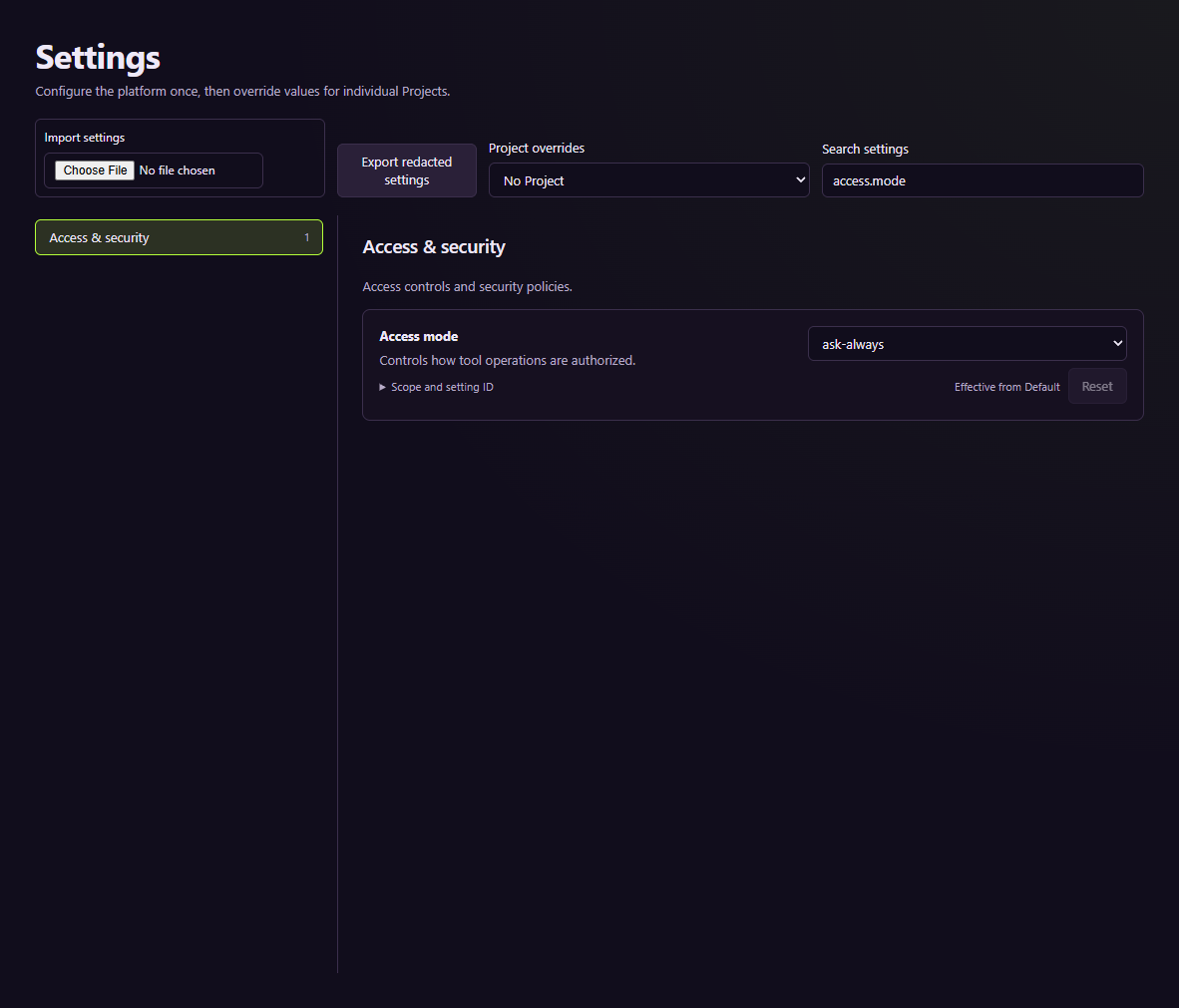
Settings shown in the tutorial's isolated service profile.
Change the intended layer rather than a nearby project. Reset removes the selected override and reveals a lower layer; it does not write the old value as a new override. Refer to the settings reference for the exact value type and allowed scopes.
Transfer nonsecret configuration
- Use Export redacted settings and keep the file outside source-controlled game content.
- Select the destination scope and project before importing.
- Read the preview's keys, values, skipped entries, and invalid entries.
- Choose Apply overrides only after checking the preview.
- Verify the resulting effective values and their source labels.
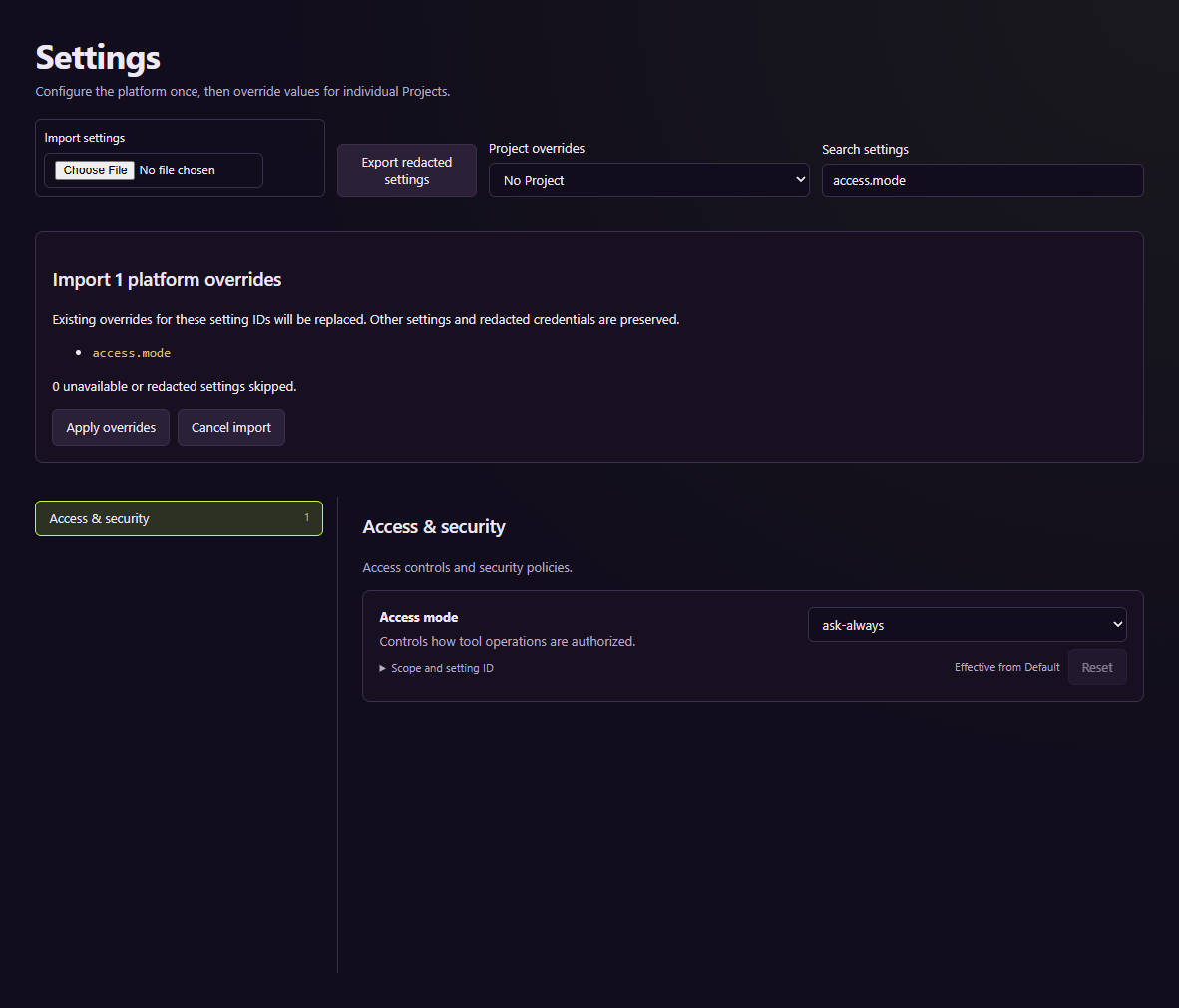
The preview exercise checks that inspecting an import does not mutate the stored setting.
Understand what an export cannot recover
A settings export omits credential-like data. It is not a backup of provider accounts, encryption keys, or a whole project. Malformed input should be rejected rather than treated as an empty import. If an import fails, check that the previous values remain intact before trying again.
For portable recovery of operational state, use backup and restoration. For model failures, diagnose routing before changing unrelated settings.