
Back up a project and rehearse recovery
Verify an archive, restore into a new empty location, and check the recovered project or profile before relying on it.
On this page
A configured backup plan is not a completed archive. A downloaded archive is not a verified restore. Practice the full recovery path with a disposable project before depending on it for important game work.
Configure and run a backup
In Backups, select identity and recovery material, a destination, and project or profile scope. Review schedule and retention settings. Keep recovery information independently available; storing the only recovery secret beside the encrypted archive does not solve recovery.
Run a local backup for a learning exercise. Inspect its recorded state, file count, manifest, archive location, and verification result. Retain failures rather than treating any produced filename as a successful backup.
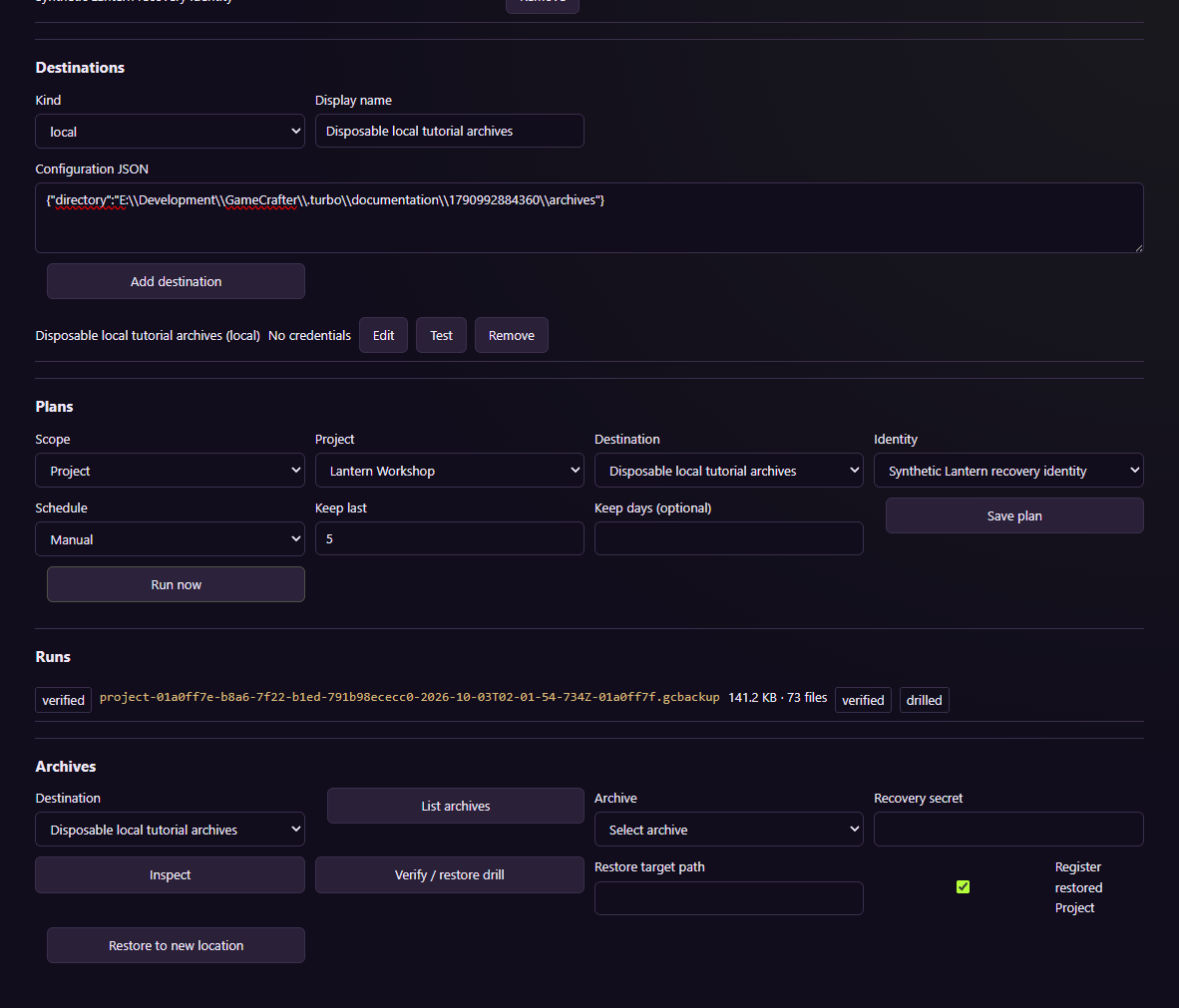
The example demonstrates a local recovery workflow in an isolated profile.
Restore into a fresh location
- Select the intended verified archive and recovery material.
- Choose a new empty destination.
- Run the supported restoration flow.
- Inspect identity, registration warnings, and representative files.
- Open the recovered project and perform the appropriate native engine checks.
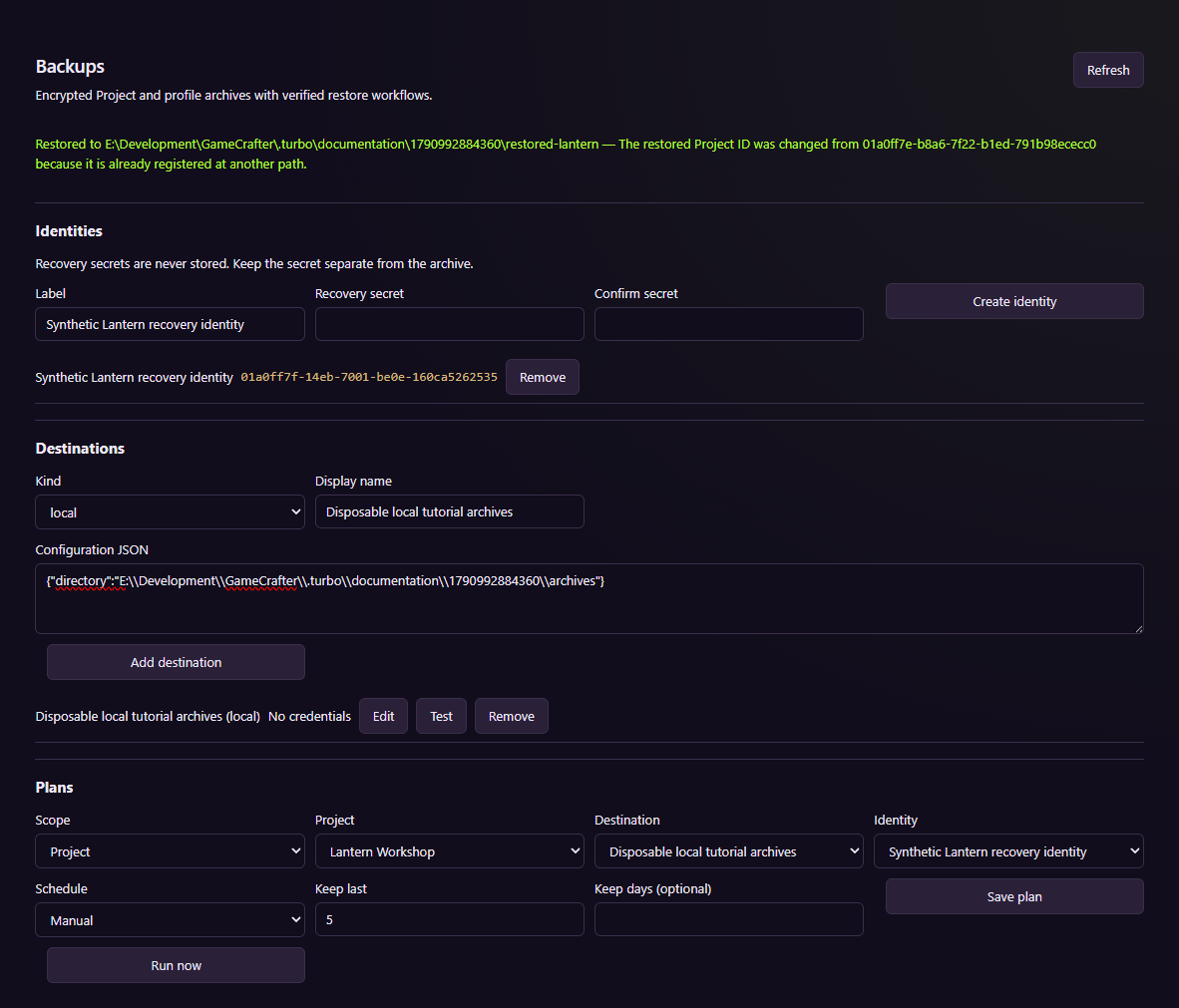
Restoration is tested into a new destination, not over an active game.
A nonempty target is rejected. A registered project can receive a new identity if the original is still registered elsewhere. Inspect that result before assuming an independent copy has the original ID.
Distinguish profile and project recovery
A restored profile must be selected through GAMECRAFTER_PROFILE_DIR before starting its service. Verify registrations, settings, credential decryption, and relevant records. A redacted settings export cannot recover a missing encryption key.
The source includes local project and profile recovery evidence. Remote destinations, installer rollback, and every historical schema need separate acceptance. Use the recovery runbook for service-level drills and keep the original profile until the restored one has been checked.