
Free, open-source game development IDE
Make games with
the whole project in view.
PlayWeld is a free, open-source desktop IDE and project workspace for game development. Keep project notes, plans, conversations, and connected tools alongside your native game files. Work with Godot, Unity, or Unreal Engine, and choose when AI is part of the work.
Windows and Linux · testing prerelease
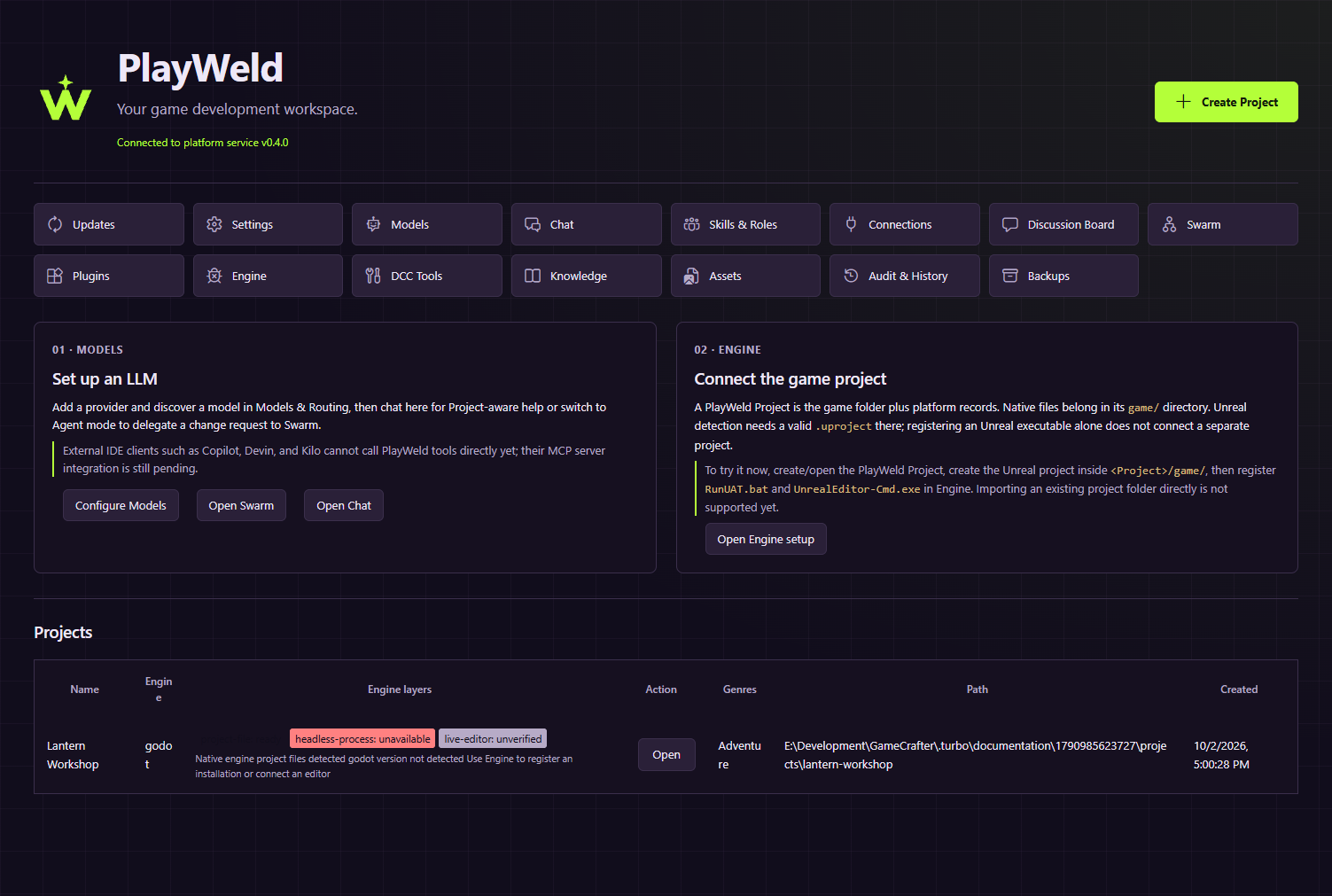
Recorded in the desktop app
Watch PlayWeld in use.
Files, notes, discussions, and local search in a disposable Lantern Workshop project.
This walkthrough shows manual project organization and lexical search. Its Swarm view shows impact preview only; no AI or Swarm task is executed. Native engine integration is not demonstrated. Try this testing build with a copy of your project.
Read the walkthrough description
- Identify the Windows desktop app and its testing prerelease version, then inspect the existing disposable project.
- Read the lantern collection and reset rules, open a demo note, type a review checklist, and save the file.
- Create a tagged status thread for manual review, resolve it, and use the Open and All thread filters.
- Queue a local knowledge reconciliation task, choose lexical search, and search the indexed project for “reset.”
- Preview the impact of reviewing the two documents. Both appear in the preview; the request is not submitted.
Explore shorter feature clips
Edit a project note 0:56
Open the design, write a disposable review note, and save it alongside the game files.
Organize a review checklist 1:00
Tag a discussion, resolve the manual checklist, and switch between thread views.
Find the reset rule 0:49
Use lexical search to read matching project notes and design text. No model provider is used.
Check the example game separately 0:48
Visible keyboard validation in WSL Godot 4.7.2: collect three lanterns and reset. This is separate from PlayWeld engine integration.
Find your way around
Start with a clear tour, then follow practical guides as you set up a project and connect your tools.
Explore the guidesMake it your own
Browse community-made extensions, plugins, skills, and agent roles for different kinds of game work.
Browse extensionsSee the system
Learn what stays in your game project, what PlayWeld keeps track of, and how the pieces work together.
How PlayWeld worksKeep each part of the work connected.
Keep the work around your game together.
Bring design notes, native game files, decisions, and project tasks into one workspace. Start with a small example and see where everything lives.
Follow the Lantern Workshop tutorialStart with a small game.
Learn by making it yours.
Lantern Workshop is a free Godot example for trying out project notes, team decisions, chat, and search without putting an existing game at risk.
Notes from the project
Stories from PlayWeld.
Project news, community stories, and ideas from people building games.
The first project story is on its way. Visit the Blog for news and community updates.
Explore the BlogTools made by the community.
Find an extension that fits your workflow, or share one you made.