
Projects and configuration
Registered workspaces, project identity, settings layers, and model routing.
PlayWeld combines an Eclipse Theia desktop workspace with a local platform service. Bring design records, native game files, connected tools, and supervised AI work into one Control Room.
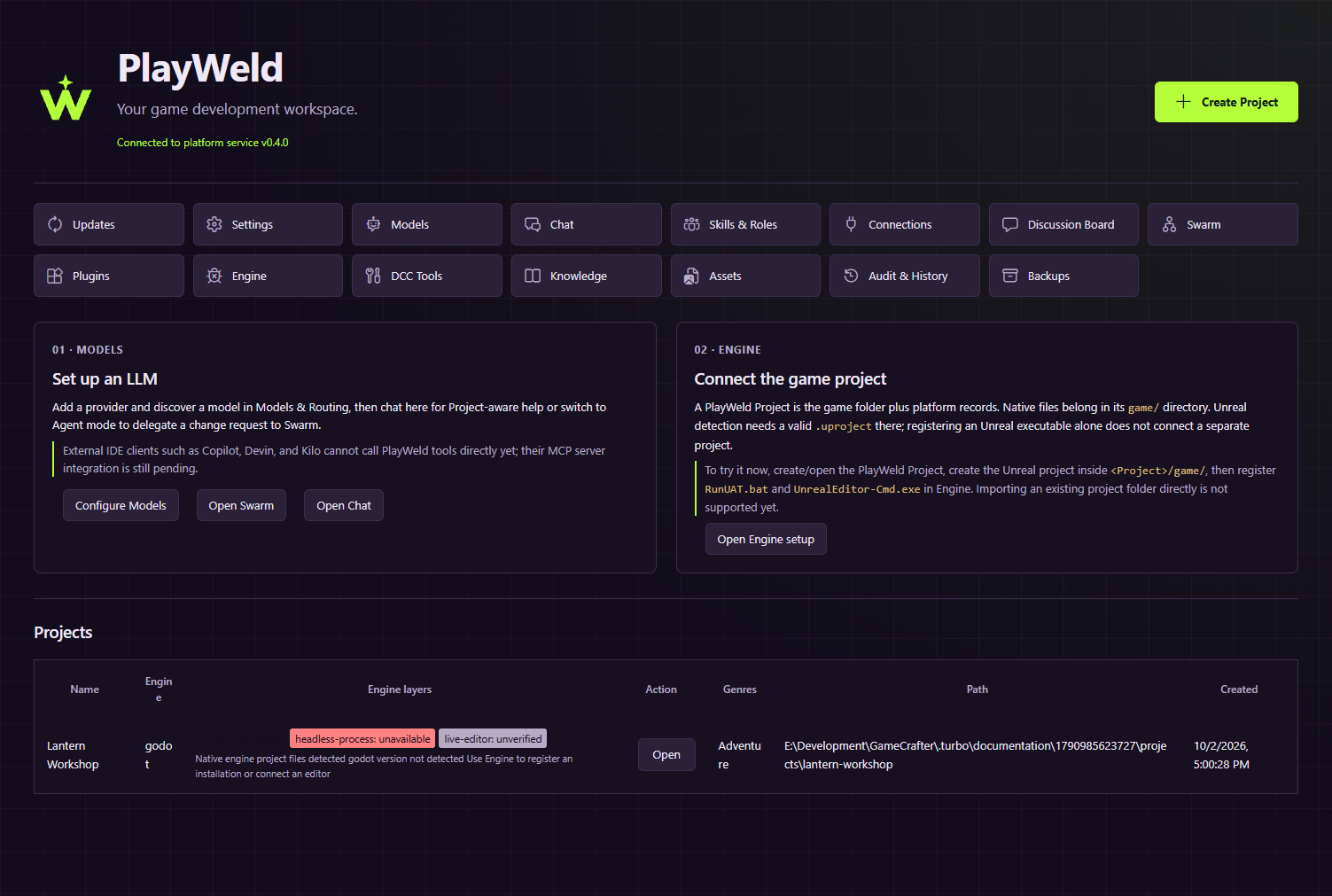
The IDE organizes the project and records the work. Your engine still owns its native game, your authoring tools still produce their source assets, and providers supply the models you configure. PlayWeld.com is the knowledgebase, free marketplace, and information hub for that system.
Work with Unity, Unreal Engine, and Godot alongside your installed tools. Inspect native files, headless executables, and identity-verified live bridges as separate capabilities.
A registered executable is useful configuration. The evidence that matters is the named operation, its result, and the artifact or test it produced.
Understand engine connections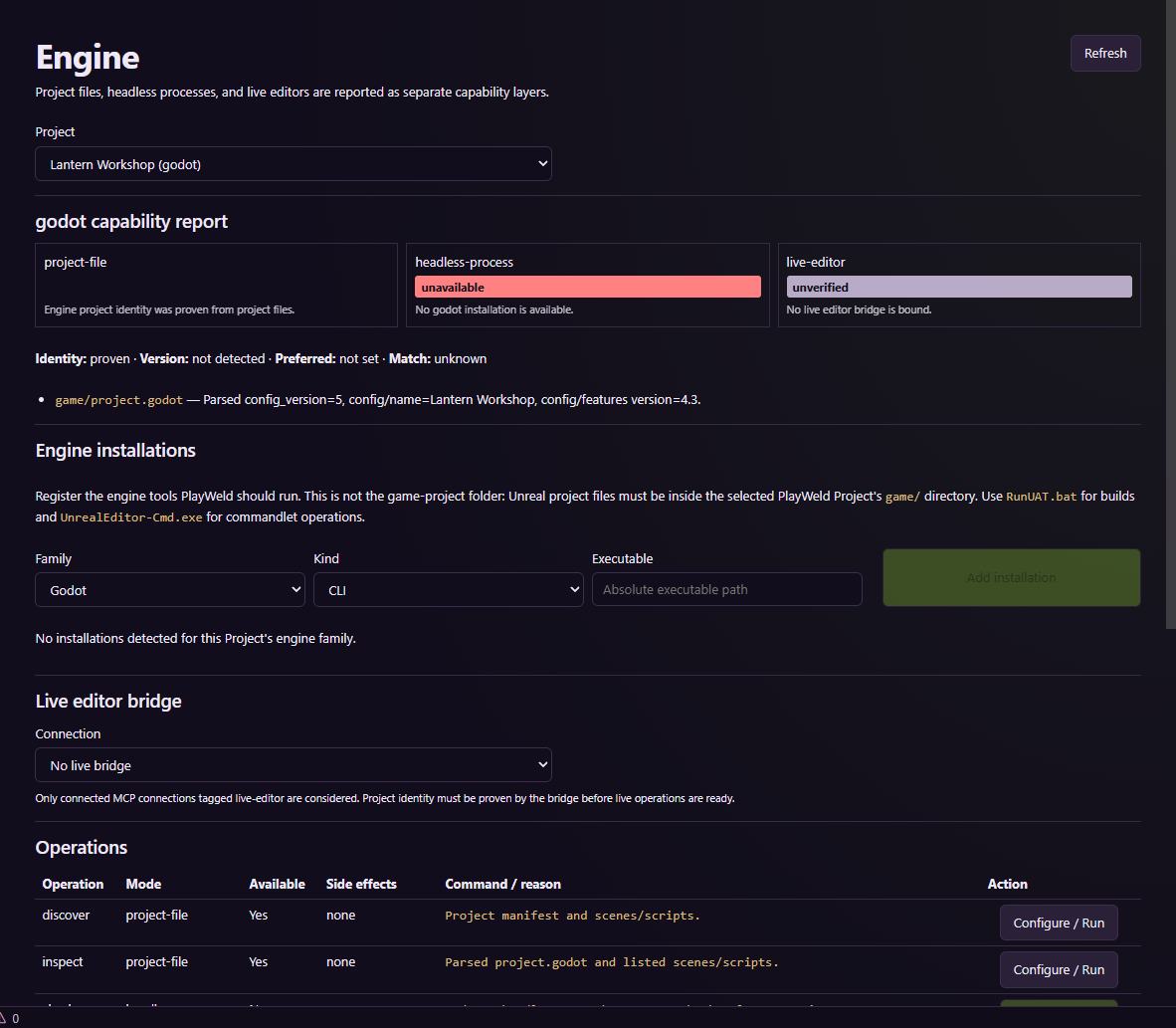
Configure provider accounts and eligible models, then move bounded requests from Chat to Swarm. Inspect questions, approvals, isolated changes, and integration evidence before accepting a result.
Thirty bundled game-development skills cover planning, implementation, art, testing, and delivery. Skills provide guidance; roles and access policy govern responsibility and execution.
Review an agent workflow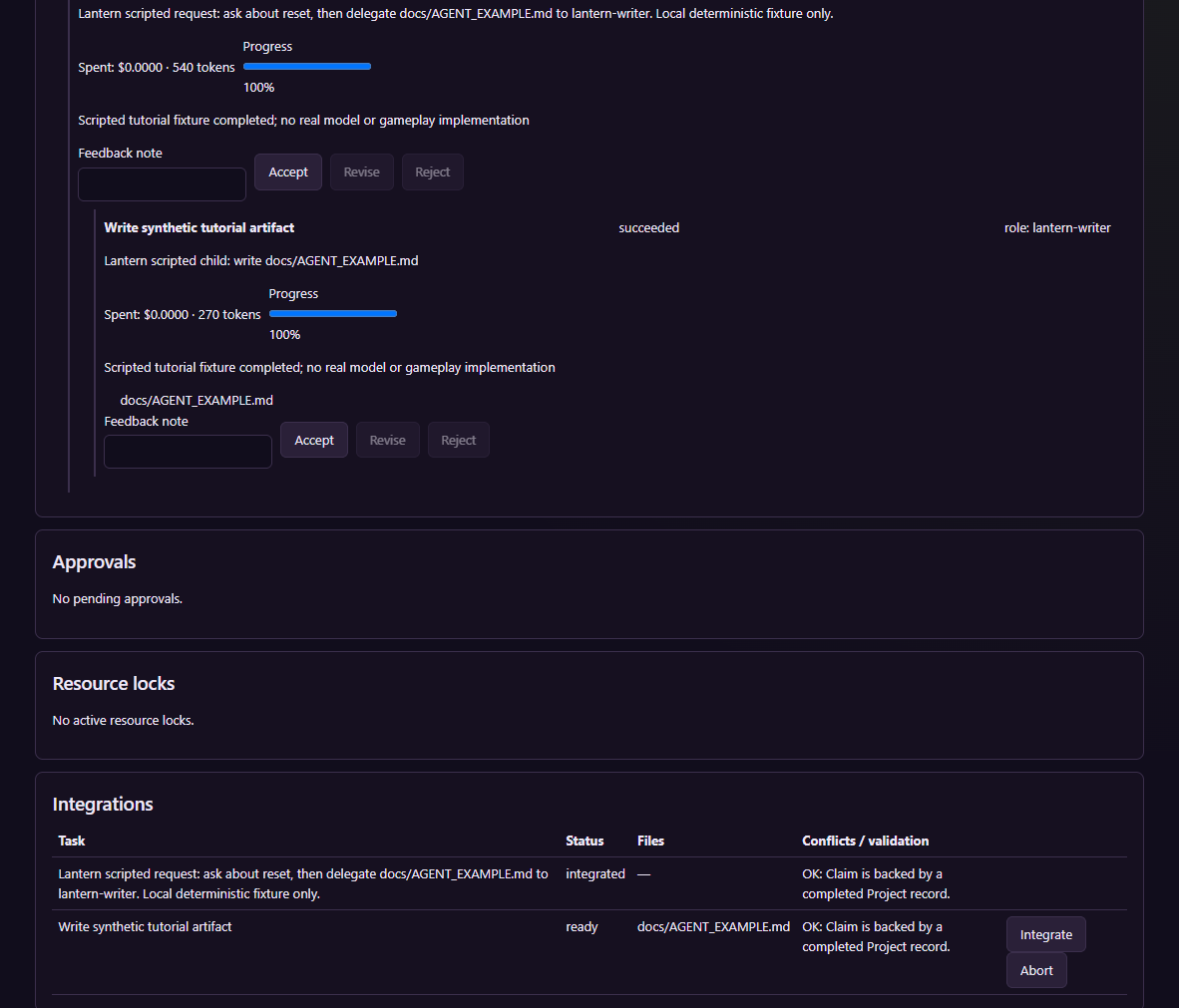
Use Discussion Board to explore changes and explicitly adopt decisions. Reconcile project documents into Knowledge and inspect source paths, excerpts, and citations when searching.
Lexical retrieval works with indexed text. Semantic and hybrid workflows have separate embedding and vector-store prerequisites.
Explore knowledge and citations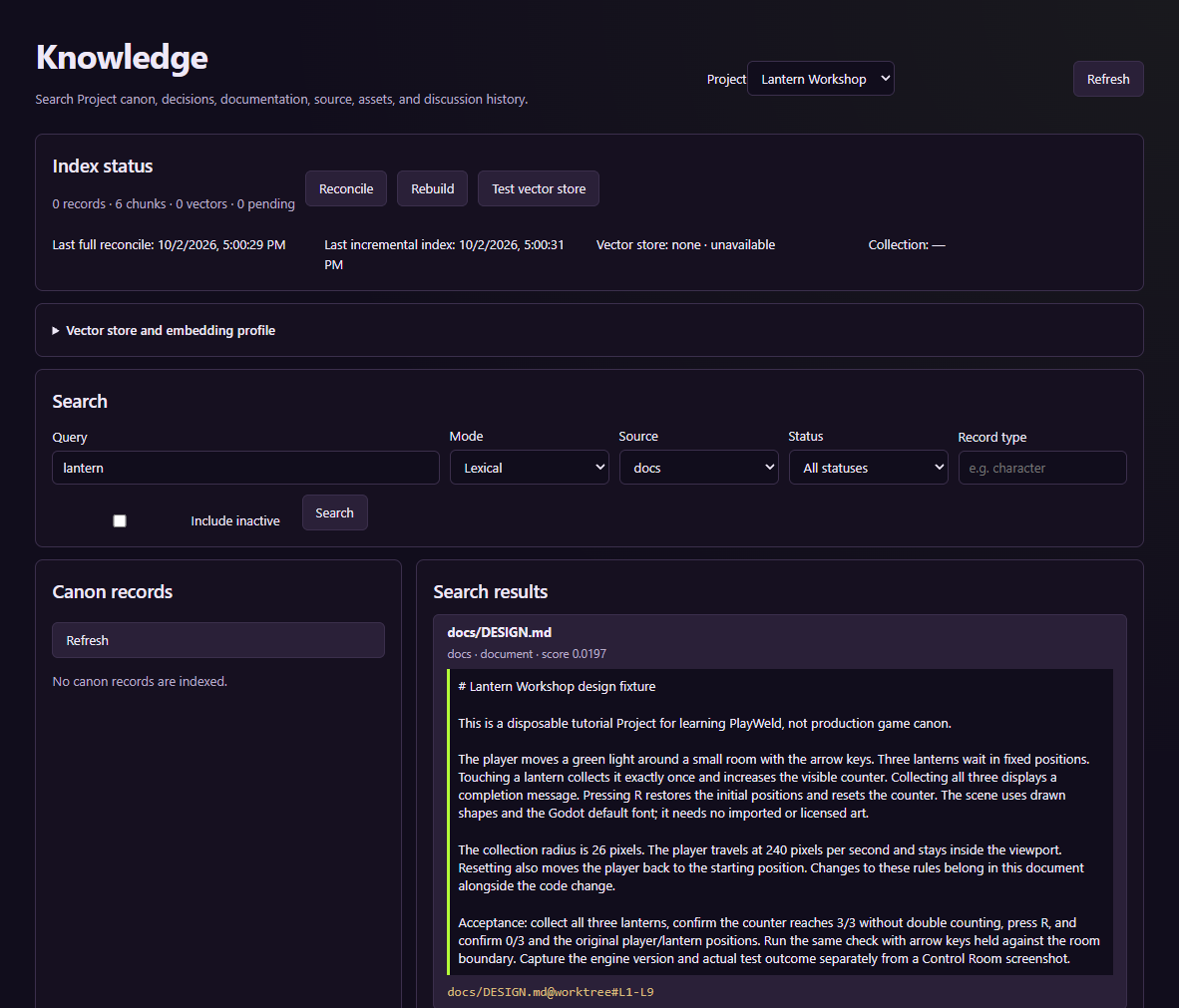
Registered workspaces, project identity, settings layers, and model routing.
Conversations, supervised tasks, approvals, adopted rules, and cited retrieval.
Engine layers, authoring tools, external connections, reviewed assets, and extensions.
Inspectable operation history, verified archives, separate restores, and release verification.
PlayWeld is a free, open-source game development IDE built on Eclipse Theia. Its local platform service maintains project, task, routing, integration, discussion, and audit records. The project is licensed under Apache-2.0.
Install and configure your engine separately, then prepare valid native files in your PlayWeld project. Unity, Unreal Engine, Godot, and other connected tools retain their own licenses and requirements.
The desktop IDE runs on your computer. The screenshots show the repository's actual development browser target connected to an isolated service; that target is for development and verification.
Project and platform records are local. Your configured model or asset provider can be a remote service and may receive the context needed by a request. Review the endpoint, credentials, context, and cost before using it.
They show real Control Room screens and workflow records with a disposable Lantern Workshop project. Model responses and generated-asset examples use local scripted fixtures. Captions distinguish configuration, completed workflow checks, and native-tool acceptance.
Browse free published packages, inspect compatibility, and download a release for its package type. Direct website-to-desktop installation is planned. Start with the installation guide.