
Review agent changes before integration
Submit a bounded Swarm request, handle questions, inspect evidence, and verify that changes reach the intended workspace.
On this page
Swarm organizes agent work into requests and tasks. The service records execution, questions, resource locks, and integrations so you can examine what happened rather than relying only on a completion message.
Prepare a request
Open a registered, trusted project. Configure a model that supports the required tool workflow and make sure relevant roles and skills are eligible. Where Git worktrees are required, start from an appropriate clean workspace.
Name the result precisely. For example, ask for a documented countdown rule in docs/DESIGN.md, including when it starts and resets. Keep a documentation task distinct from an instruction to implement gameplay.
Submit and follow the task
- Select the project, coordinator role, and token budget.
- Use Preview impact with concrete file paths or canon IDs.
- Read the preview, then submit the request when its scope is appropriate.
- Inspect the task tree and answer questions attached to the correct task.
- Review individual tool approvals and retain any failure diagnostics.
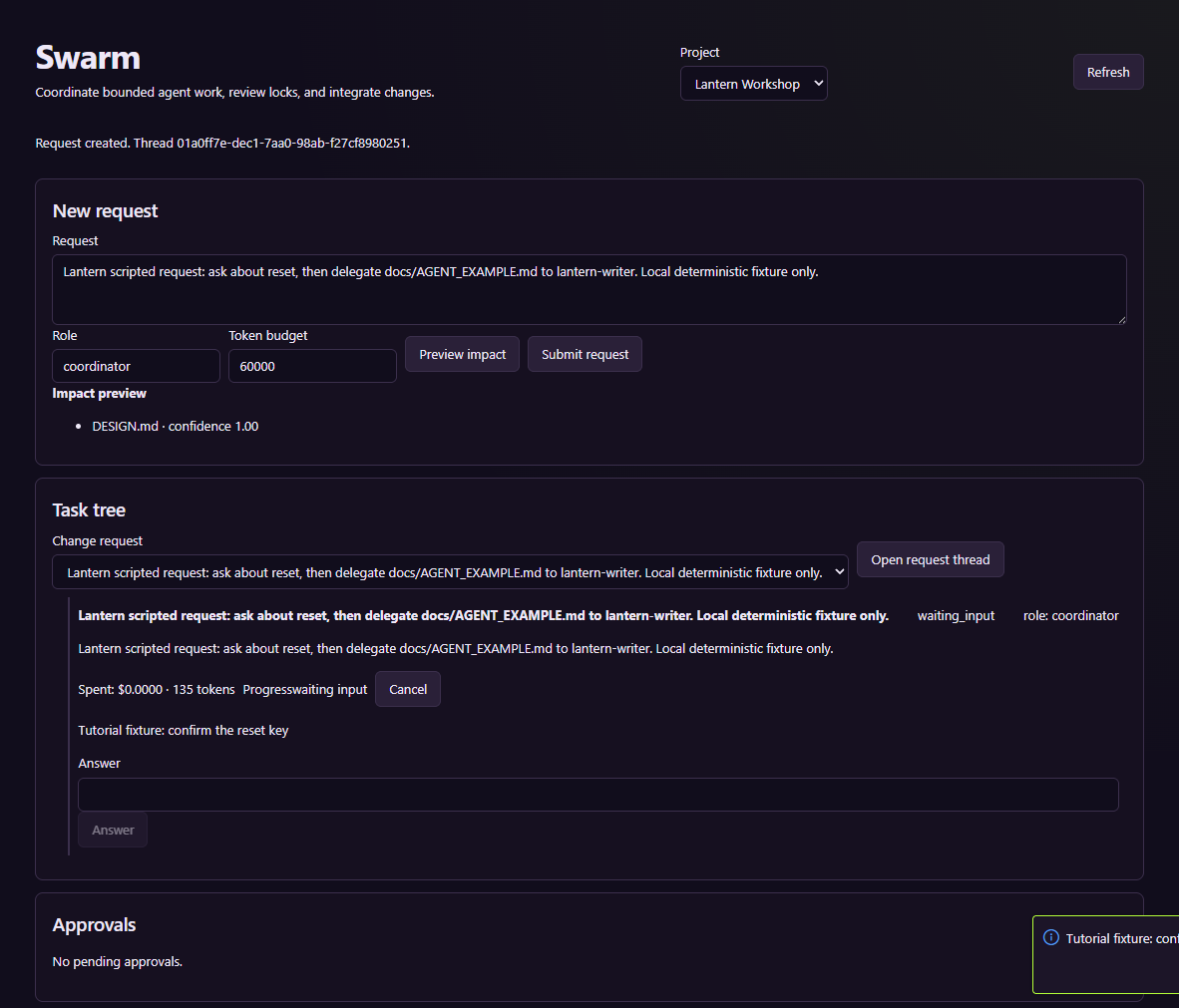
This real task-runtime exercise uses a scripted provider and a disposable project.
An impact preview does not execute the task. An empty dependency result does not prove that a change has no consequences.
Inspect the integration boundary
Read the changed files, test evidence, and reported conflicts. A child task can finish successfully while its changes remain in a separate worktree. Inspect its integration row, apply a ready change through the offered control when appropriate, and verify the workspace diff afterward.
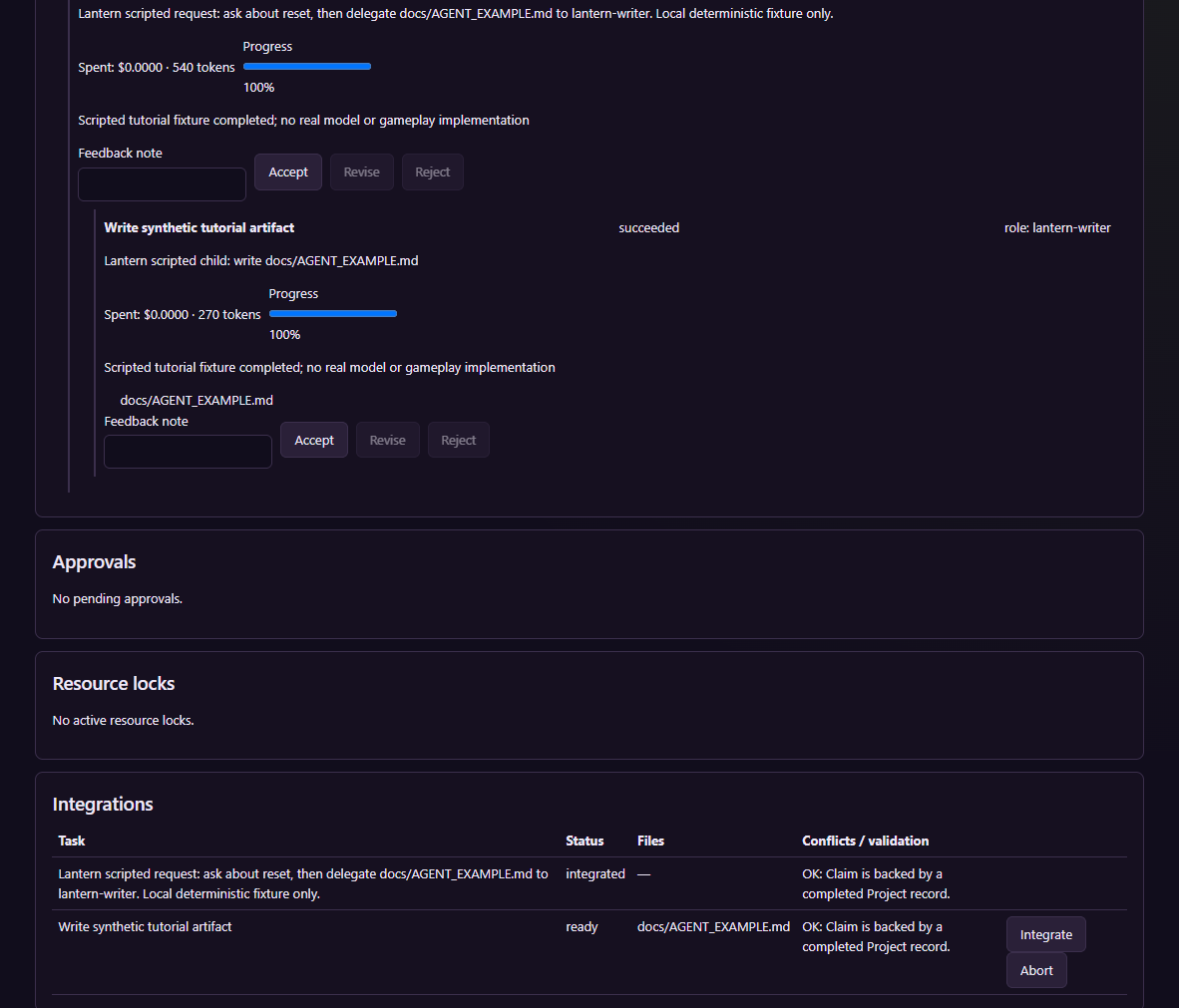
The generated example document tests the integration workflow; it is not a demonstrated gameplay implementation.
When conflicts occur, keep the worktree and diagnostics while resolving the actual conflict. Cancelling a task does not undo an external operation that already completed. Before accepting gameplay changes, run the relevant engine checks and compare the result with the design. Reconcile Knowledge after adopted document changes.