
Understand tool approvals and access modes
Distinguish task questions from tool authorization and inspect the policies that govern a requested operation.
On this page
PlayWeld treats a question about a task and permission to run a tool as different decisions. Both carry identifiers you can inspect in Swarm and Audit & History.
Review the actual operation
For an approval, check the project, requesting task, tool name, arguments, paths, and effect classification. Authorize the described action only when it matches the task you intend to perform. Denying or allowing an approval should produce a recorded result.
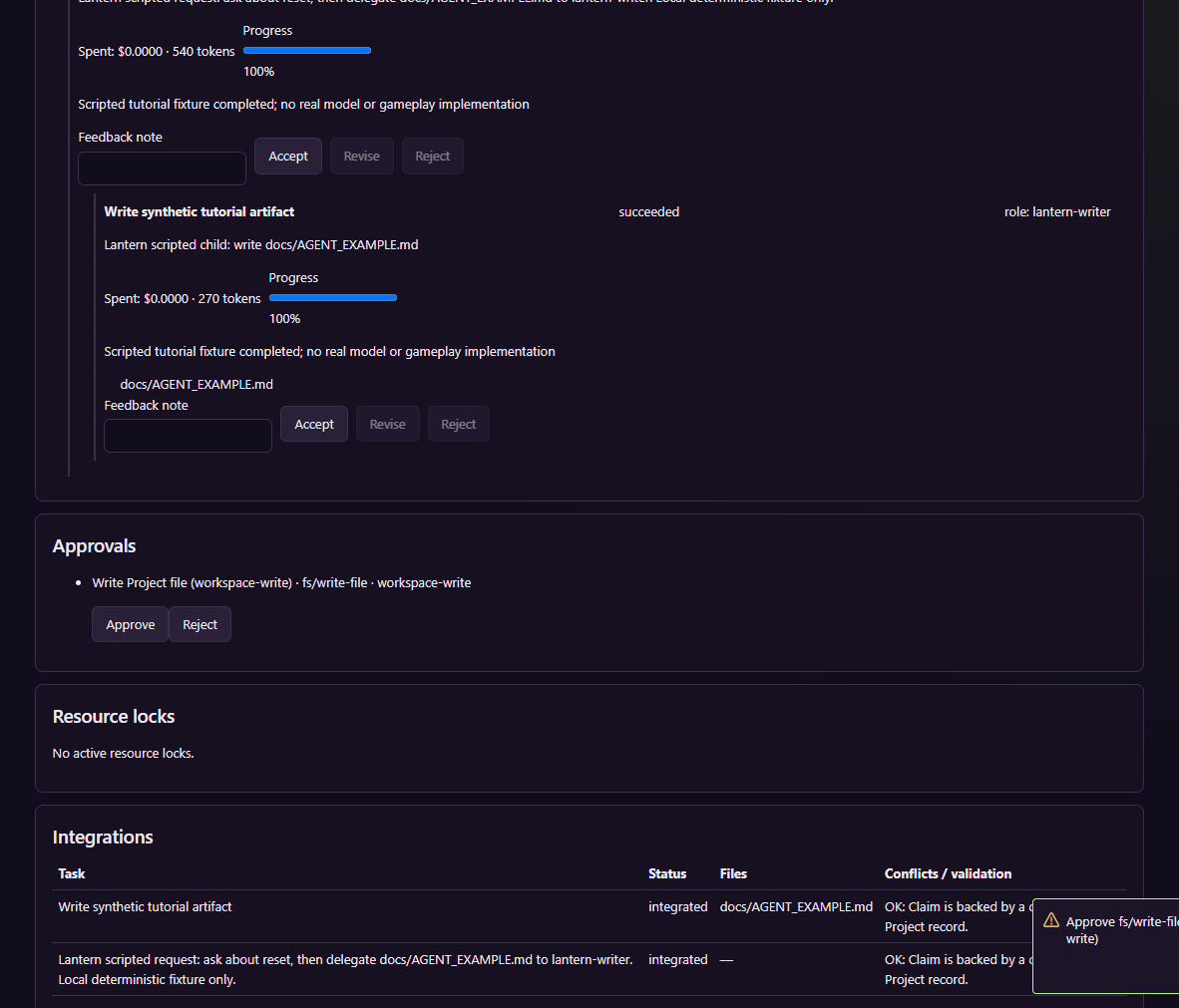
The capture shows a synthetic file-writing exercise in an isolated project.
For a question, submit information to the task's answer control and verify that it records the answer or leaves its waiting state. Closing a notification does not answer the task.
Understand the access setting
| Mode | Meaning |
|---|---|
| Ask always | Read-only calls can proceed; applicable side effects ask for a decision |
| Restricted | Allowed effect categories and tool rules determine which operations can run |
| Full | Broader access remains subject to ceilings, validation, project identity, and availability |
A role, request, task, or tool can impose a stricter boundary. Full access does not bypass path validation or connect an unavailable engine. A skill's instructions do not grant extra permissions.
Investigate a blocked action
Inspect the effective setting and its source in Settings. Then locate the call and decision in Audit & History. Determine whether the operation is waiting for approval, explicitly denied, expired, unavailable, or invalid before retrying.
Do not switch to Full just to conceal an outstanding prompt. Change the intended policy deliberately and retry the specific operation if appropriate. For active tasks, use their cancellation control and inspect resulting events; cancellation cannot reverse an already completed action.