
Learn PlayWeld with Lantern Workshop
Walk through a disposable Godot example, from project creation to discussions, chat, and cited knowledge search.
On this page
Lantern Workshop is a small Godot learning project supplied in the PlayWeld repository. It gives you concrete files to inspect while learning the Control Room. Practice in a disposable workspace rather than copying the example over an existing game.
Prepare your practice environment
Install or build PlayWeld and install Godot 4 separately. When using the source checkout, select separate profile and Theia configuration directories before launching. GAMECRAFTER_PROFILE_DIR selects service state; THEIA_CONFIG_DIR selects application preferences and layout. Changing a new shell's environment does not reconfigure an already running process.
Create and populate the project
- In Project Home, create a Godot project named Lantern Workshop.
- Choose a new parent folder, confirm the engine, and open the registered workspace.
- Find
docs/examples/lantern-workshop/in the PlayWeld source checkout. - Transfer the example's design files into your project's
docs/folder, then place its native Godot files in your project'sgame/folder. - Keep the identity manifest,
AGENTS.md, and service-owned state created by PlayWeld.
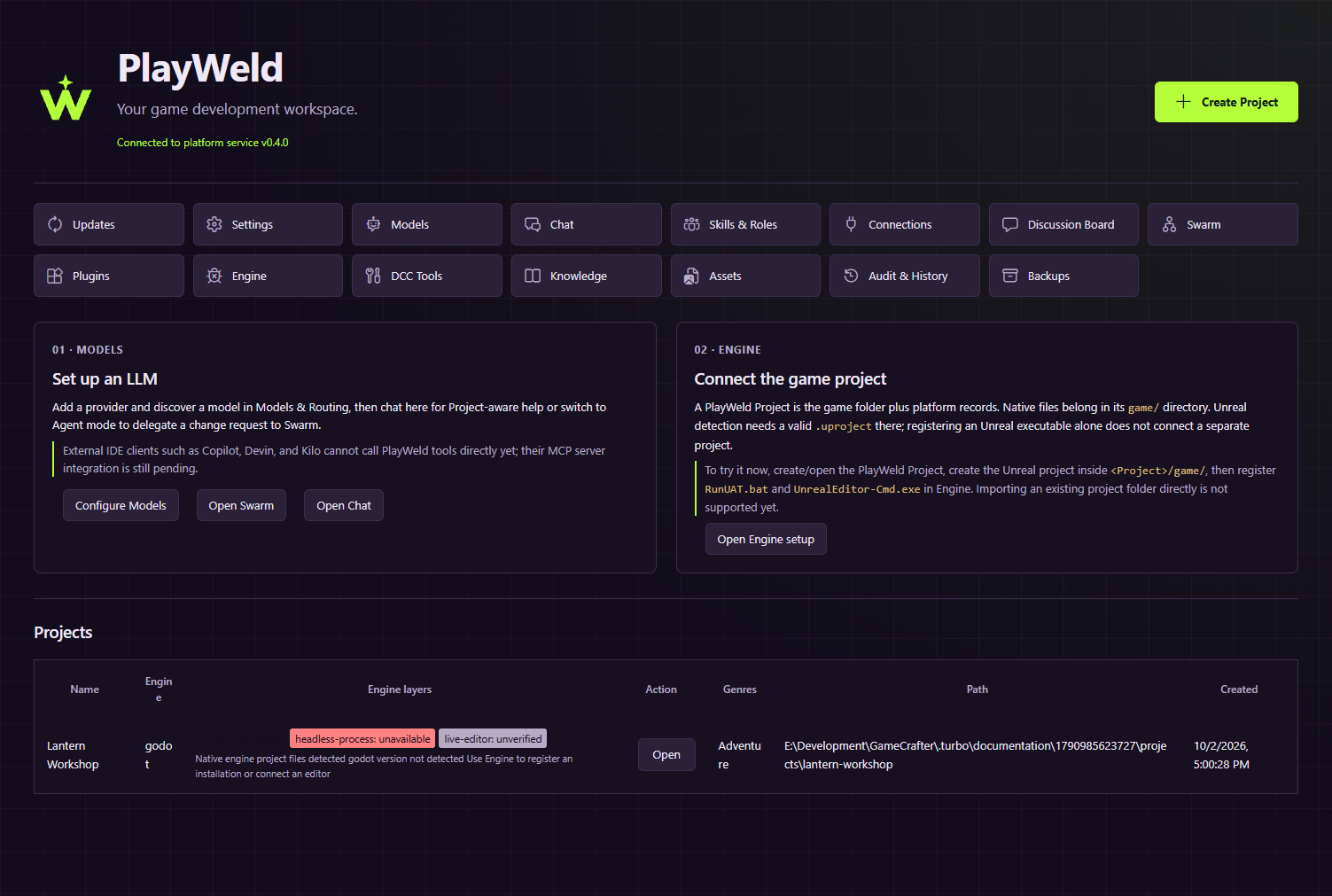
Real Control Room screen using example data in an isolated service.
Open game/project.godot with Godot. The example uses arrow-key movement and R to reset. Its design defines three collectible lanterns and checks for collection and reset. Seeing those files in PlayWeld does not prove you ran the game; record engine execution separately.
Explore the workflow
Create a Discussion Board thread about a change to the collection rule. Record your proposal before adopting it as a binding decision. Configure your own eligible model provider, then ask Chat to explain the design or active source file. The repository's captured conversations use a scripted provider whose temporary address is not a usable account for your installation.
In Knowledge, select the project, run Reconcile, and wait for indexing to settle. Choose Lexical, source docs, and search for a distinctive term from DESIGN.md. Read the resulting path and citation against the source document.
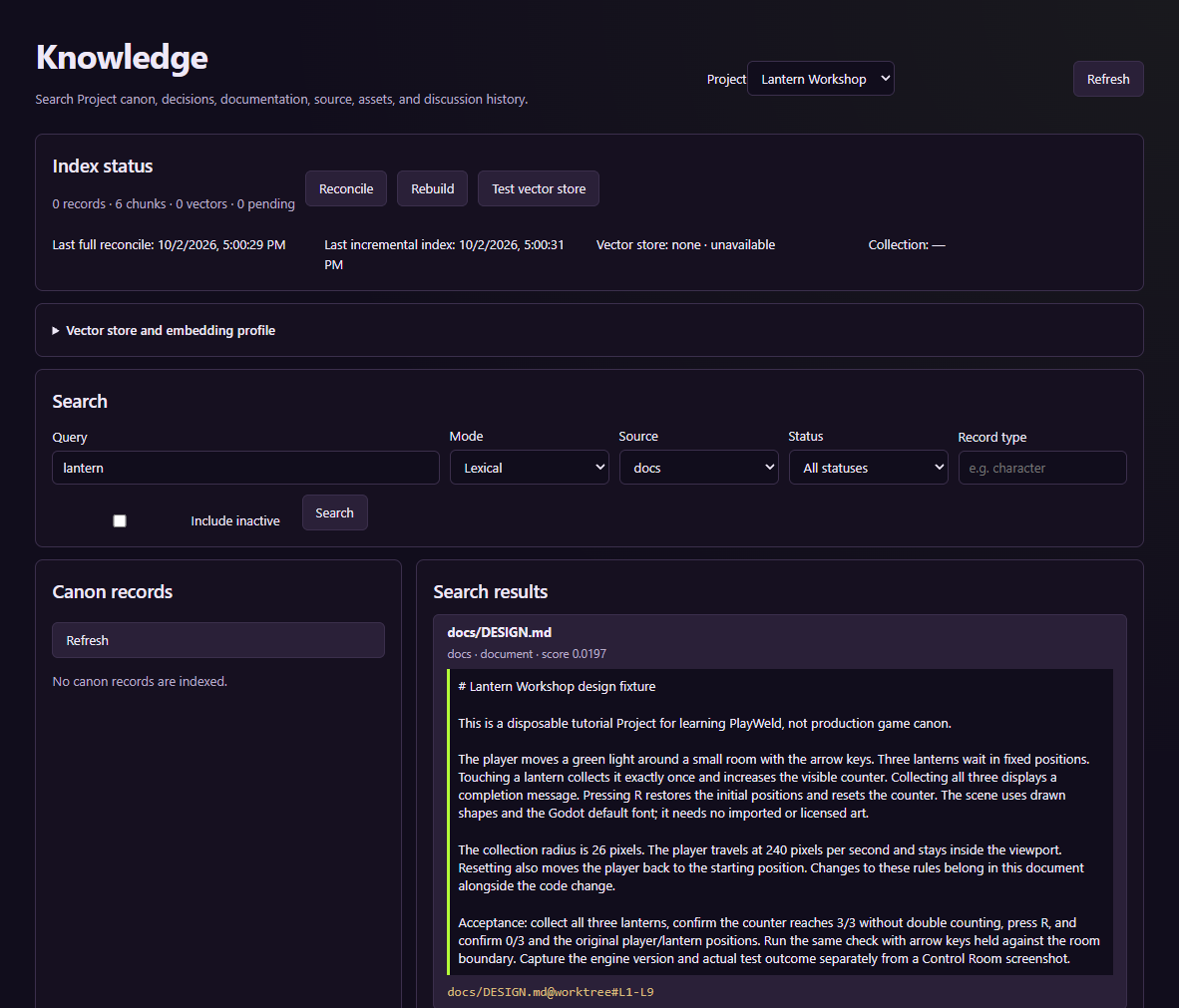
This capture demonstrates lexical retrieval. It does not demonstrate a live embedding provider.
Continue with an inspectable change
Try a bounded documentation task first: describe a timing challenge in the design without claiming it has been implemented. Use supervised agent work to inspect questions, approvals, changed files, and integration. Validate gameplay changes in Godot before treating them as accepted.