
Review and import generated assets
Separate job completion, human review, file import, and validation in the destination engine.
On this page
The Assets workflow records a provider job, its artifacts, human review, and import. Treat each stage as a separate result: a submitted request has not yet produced an approved game asset.
Describe the asset contract
Select the project, provider account, and supported operation. Specify the desired format, intended use, scale, references, and any required textures or editable source. External providers can have their own costs and format restrictions.
Submit once and follow the persisted job state. Inspect output identity, download result, and logs before repeating a failed request. A provider completion message alone is not proof that a file is ready for your game.
Review the actual output
Preview the artifact with a compatible tool. Check dimensions, bounds, topology, materials, UVs, rigging or animation where relevant, licensing, and provenance. Use the human review action to approve or reject it with a reason.
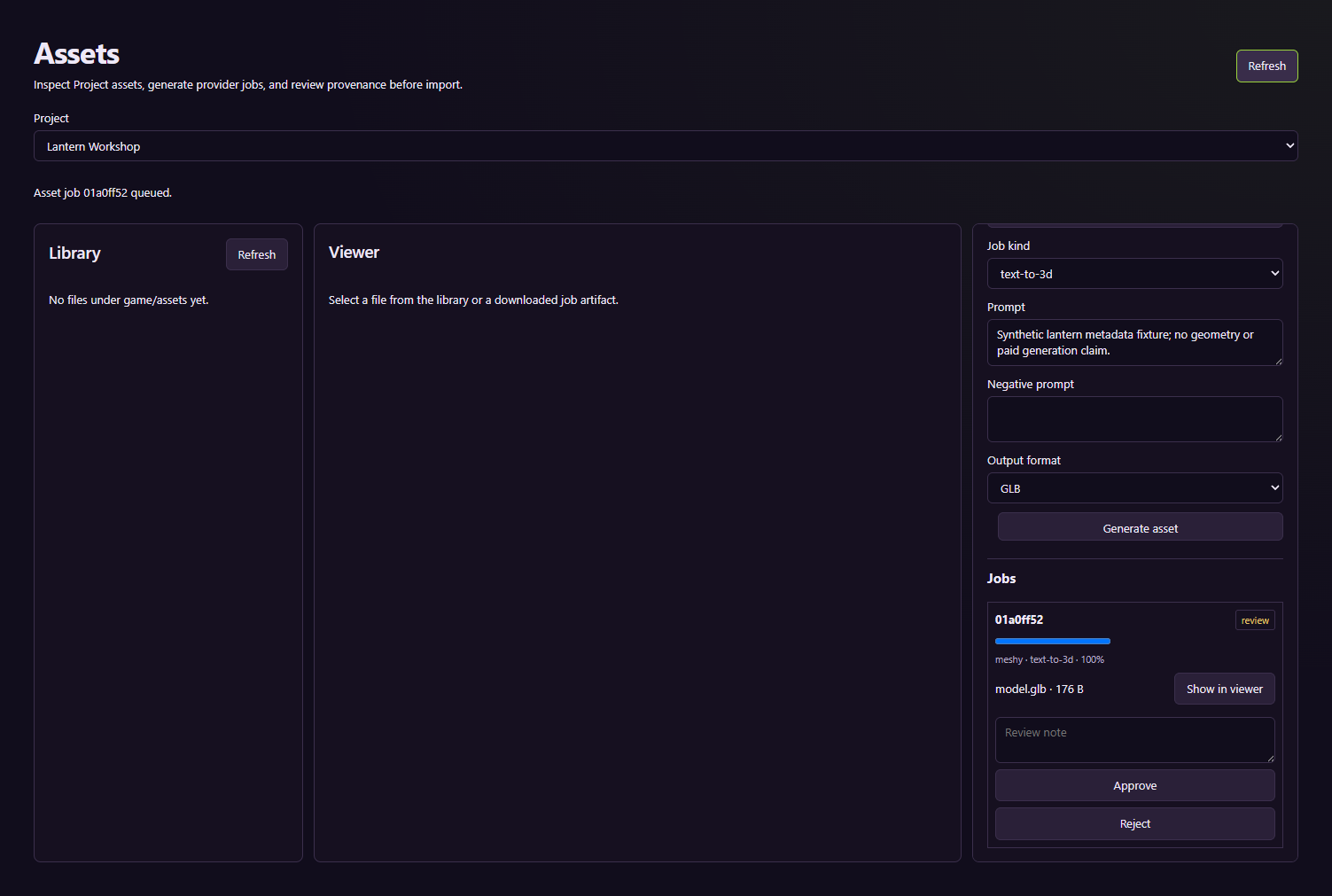
This workflow uses a local synthetic provider. Its GLB contains metadata rather than generated geometry; the empty preview is expected.
Import and verify
Choose a project-relative destination and use the import control only after approval. Paths outside the project are rejected. Existing files are preserved by choosing a fresh filename on a collision rather than silently replacing the original.
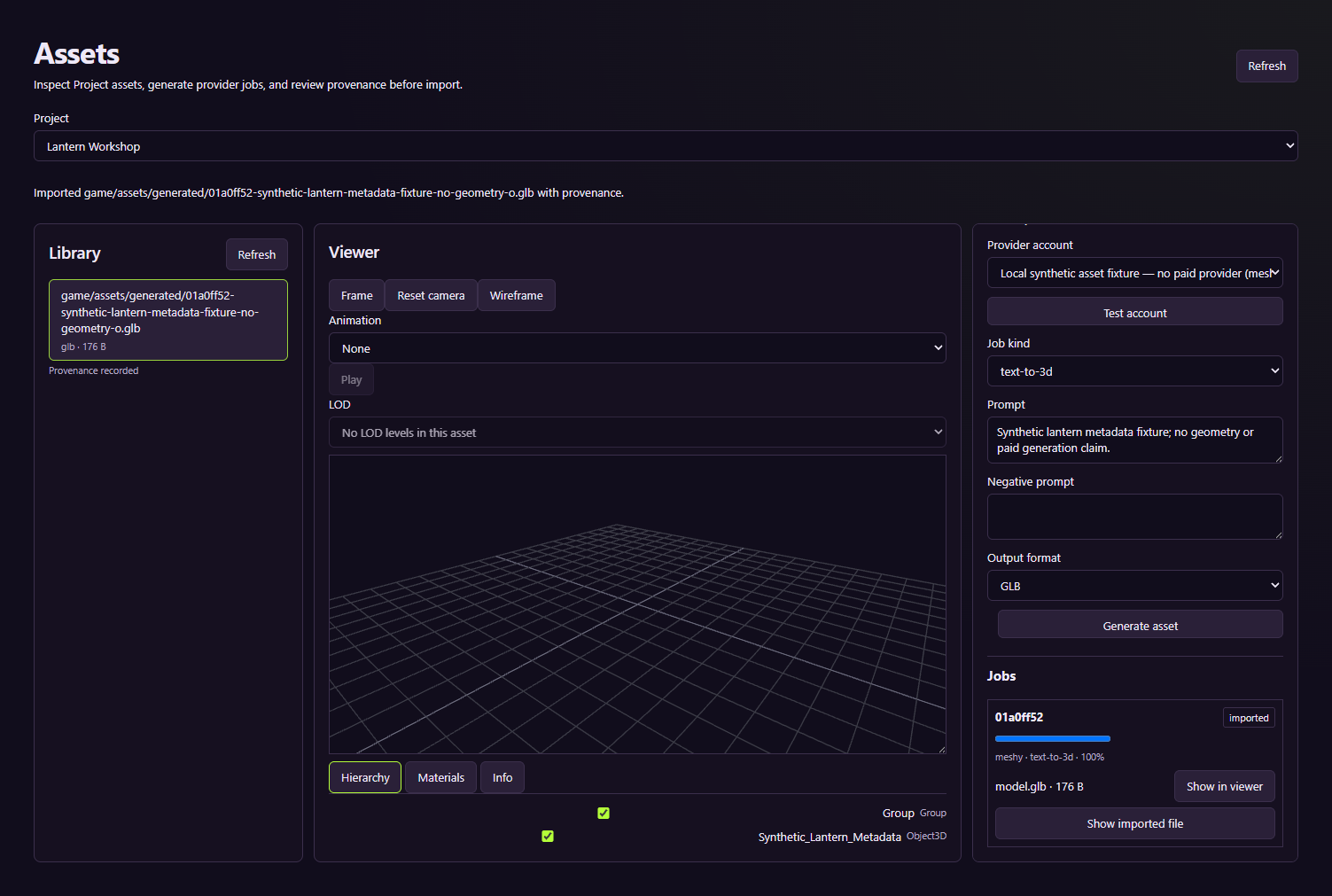
The example verifies file import and provenance, not artistic quality or paid generation.
Open the imported output in the authoring tool or engine and run the relevant checks. That acceptance is separate from the Control Room import result. If preview fails, retain the original artifact and use a suitable tool before deciding that its contents are corrupt.
Continue with DCC export checks and the provider contracts in the integration reference.