
Connect authoring tools and validate exported assets
Configure DCC installations, specify an export contract, and check files before importing them into your engine.
On this page
DCC Tools connects authoring applications to a PlayWeld project. Blender and other tools can create or inspect assets, but a successful render and a production-ready engine import are different outcomes.
Register the right executable
Select the intended project. Detect or register the installed application and inspect its executable kind. GUI, batch, and Python entrypoints can expose different operations. Read the current capability report before asking for a scene edit, render, or export.
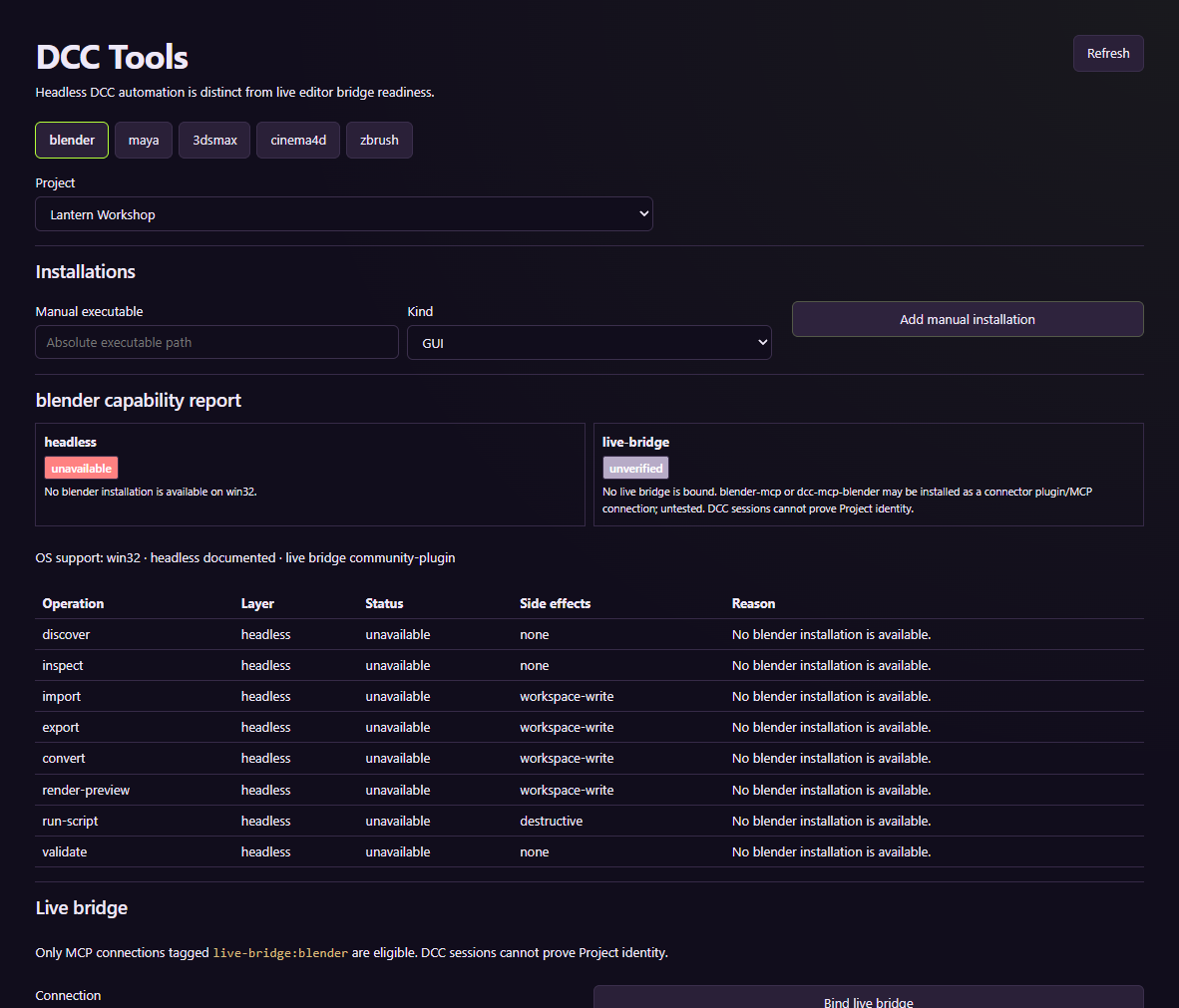
The tutorial capture shows the configuration surface. It does not execute an authoring tool.
Define the deliverable
For a mesh or scene, state the editable source, units, axis conventions, origin, dimensions, and target format. Specify required materials and texture paths, plus collision, rig, animation, or LOD expectations when relevant. This makes the export check concrete.
Run the available operation and inspect its recorded result, logs, and artifact. Keep the source file alongside the exported result when the task calls for an editable asset.
Check the asset in its destination
A render helps assess appearance. An export establishes file creation. Inspect scale, transforms, bounds, normals, material slots, and referenced textures before opening it in the game engine. Validate animation and collision where the game needs them.
Blender has live fixture evidence in the source repository. Other DCC integrations and live bridges retain their own limits. Do not transfer Blender's verification status to a different application or assume an exported file is suitable for every target engine.