
Configure AI models, skills, and agent roles in PlayWeld
Set up provider accounts, discover eligible models, and choose routing policies for project chat and agent work.
On this page
Model configuration lives in the desktop IDE. A website account does not grant the application access to an AI provider. Separate the provider endpoint, enabled models, routing pools, and the individual request when diagnosing configuration.
Add and verify a provider
- Open Models or Models & Routing.
- Create an account with its provider kind, API base URL, display name, and local or cloud classification.
- Supply credentials through the supported account controls when required.
- Use Discover to inspect the models reported by the endpoint.
- Select models and use Add selected; discovery is a preview, not automatic enablement.
- Review capabilities and run a small Chat request before submitting a larger task.
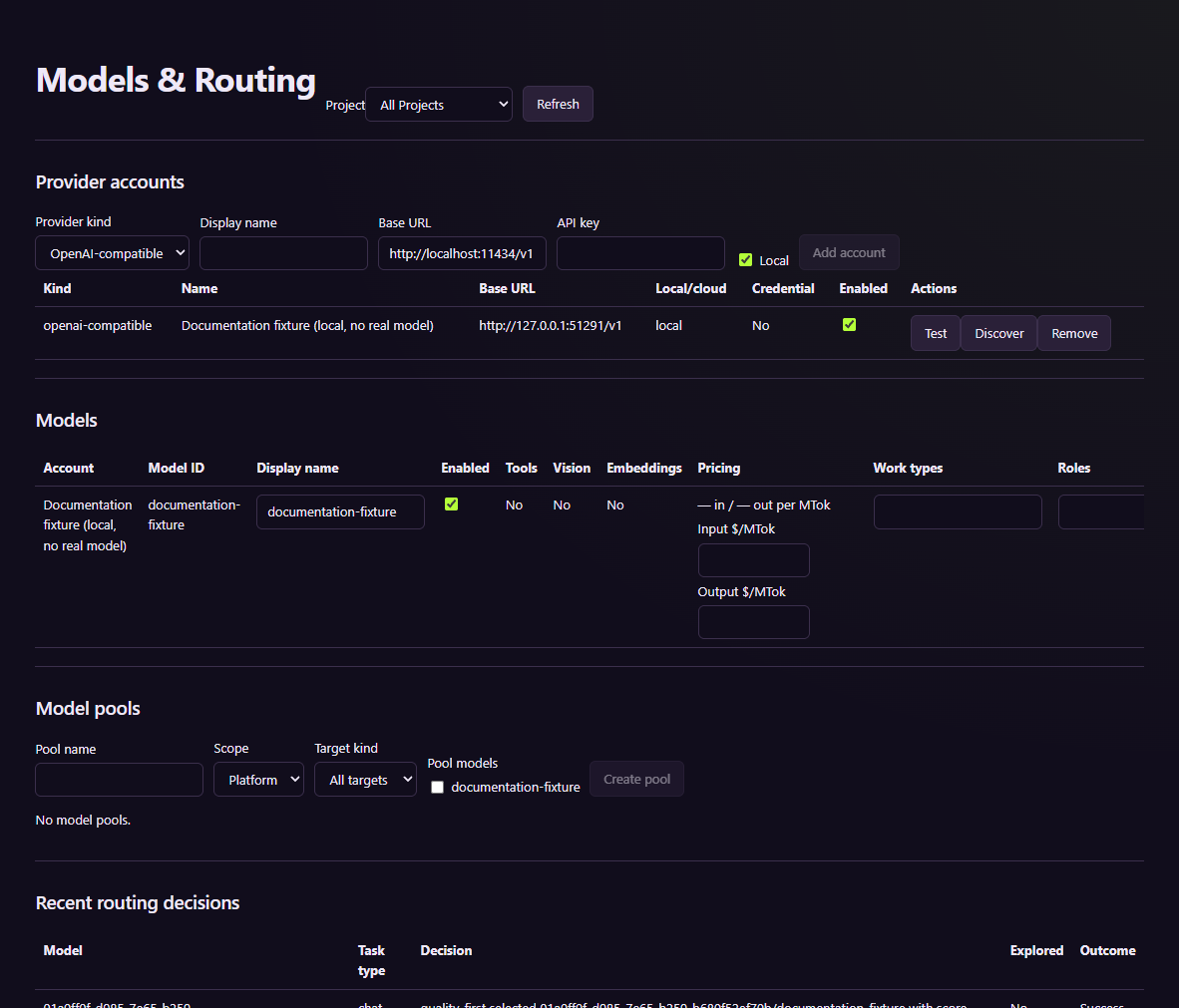
The account in this screenshot is a deterministic tutorial fixture. Configure your own endpoint rather than reusing its temporary URL.
Match the model to the request
Text, tool use, vision, streaming, embeddings, context size, and output limits are different capabilities. An identifier returned by discovery does not establish all of them. Mark capabilities according to the provider's behavior, not simply to make a routing error disappear.
Auto route selects an eligible model under the configured policy. A specific model still needs to satisfy the request's requirements. Pools can narrow models for a project, role, or work target. Quality, balance, and cost policies guide selection; uncertain price estimates are not spending guarantees.
Keep routing errors and provider errors separate
For an eligibility failure, check enabled state, capabilities, pool restrictions, context limits, and budgets. If a route succeeds but the endpoint fails, inspect the provider response and account configuration instead. Avoid repeatedly submitting an agent request while its earlier task is still active.
Review usage and the separate agent token budget. External providers may charge for calls. When using a cloud endpoint, review the active file and other context being sent. Credentials should never be stored in game design documents or public screenshots.