
Search project knowledge and refresh the index
Use citations, choose lexical or semantic retrieval deliberately, and check indexing after documents change.
On this page
The Knowledge view searches derived project indexes. Design files and adopted decisions remain the source of truth. A retrieval result should help you locate evidence, not replace reading the source.
Index a project document
Select the project and add or update the relevant files. Choose Reconcile to queue synchronization. Watch pending work and index timestamps until processing finishes. A queued task identifier alone is not a completed index update.
Choose a retrieval mode
| Mode | Requirements and purpose |
|---|---|
| Lexical | Searches indexed text; useful for exact terms and first checks |
| Semantic | Needs an embedding profile and vector store |
| Hybrid | Combines retrieval paths and can report degraded behavior |
Select source filters, status, and record type when useful. Inspect a hit's source path, excerpt, revision, and citation. Documents can have indexed chunks even when there are no structured canon records. Zero vectors do not necessarily indicate a broken lexical index.
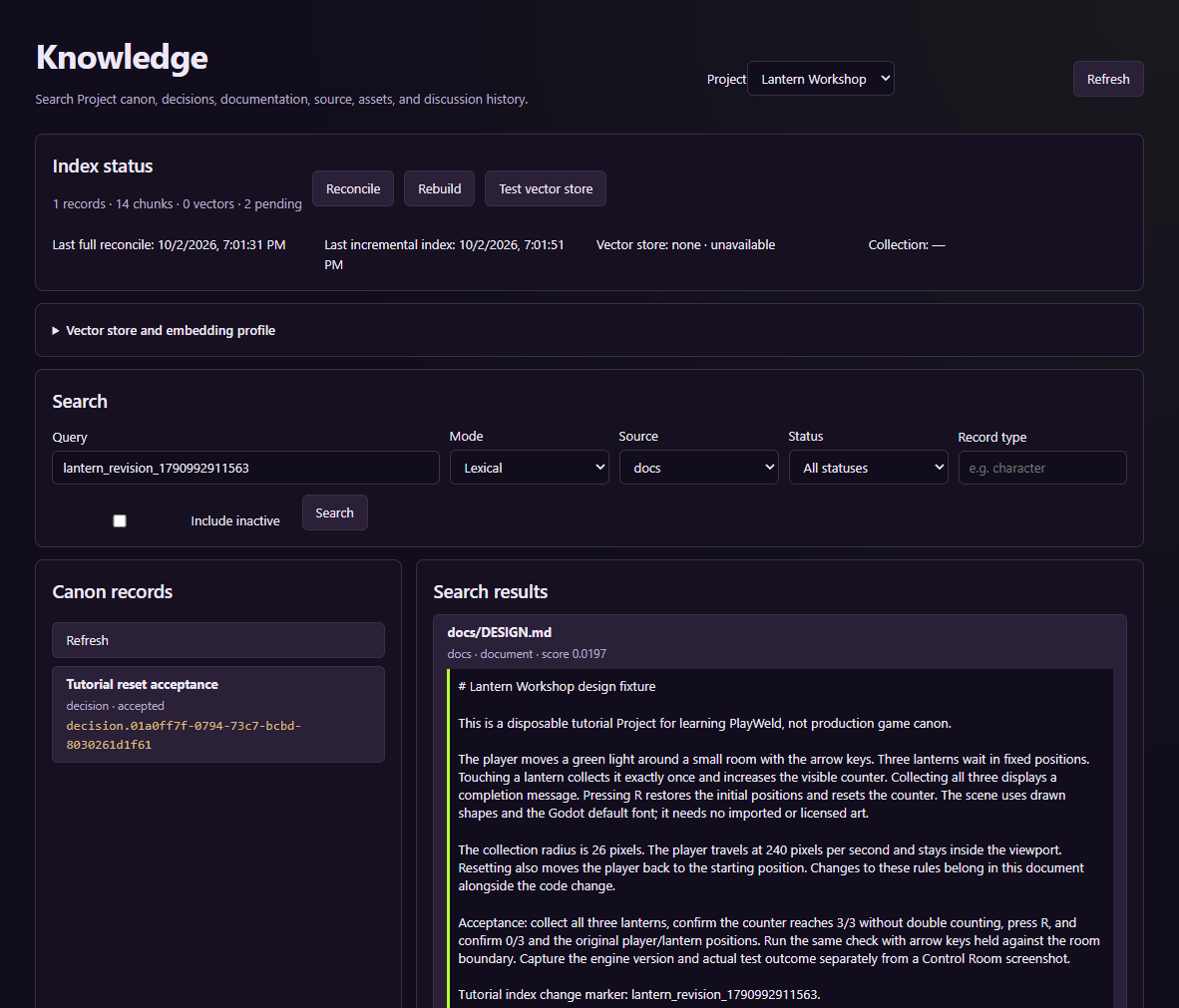
This screenshot verifies a fresh text result and citation. It does not establish live embedding generation.
Diagnose stale results
Check that you edited the selected project's source file. Inspect pending tasks, errors, timestamps, and conflicts, then reconcile and search for a distinctive new phrase with a source filter. Compare the excerpt with the file on disk.
Use Rebuild when diagnosing an index that needs a full rebuild, and inspect the task's terminal result before searching again. Do not delete authoritative design files to repair derived retrieval data. Test vector store checks its connection; it does not prove a separate embedding provider is working.
For deeper service diagnosis, use audit and diagnostics and the recovery reference.