
Connect Unity, Unreal Engine, and Godot to PlayWeld
Inspect native project files, headless tools, and live editor connections as separate engine capabilities.
On this page
PlayWeld works alongside your installed engine. Its Engine view reports what is available for the selected project, rather than treating every installed executable as a complete editor integration.
Start with a valid native project
Create or open the appropriate PlayWeld project, then place its native engine content under game/. Godot needs its project.godot; Unreal detection expects a valid .uproject; Unity needs its native project structure. Registering another engine executable does not change the project's engine family.
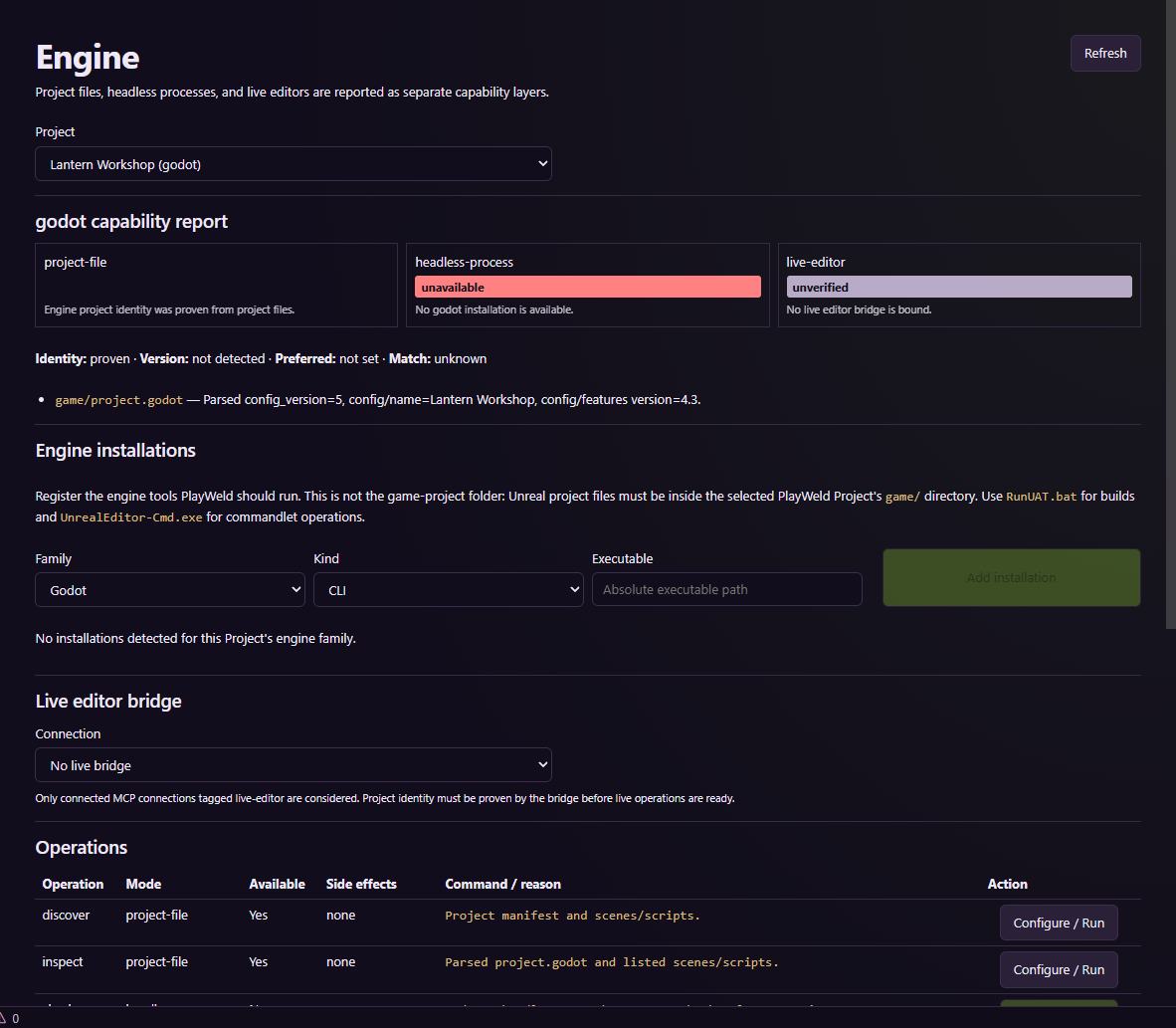
This configuration capture does not show a live engine operation.
Inspect the three capability layers
| Layer | What to check |
|---|---|
| Project-file | The selected workspace contains recognizable native engine files |
| Headless-process | The correct executable and version can perform the named batch operation |
| Live-editor | An implemented bridge is connected and identifies the intended open game |
Detect or register installations, refresh capabilities, and read the reason shown for unavailable operations. A native file can be detected while headless or live editing remains unavailable.
For Unreal, the documentation describes commandlet and automation executables as separate installation kinds. For Unity, use the installed editor and the connector documented for your version. For Godot, confirm the executable and project before using headless checks.
Verify the operation, not just the connection
Before an editor mutation, check the identity of the game that the bridge reports. After a run, inspect state, logs, parsed test results, and output files. An exit code alone can miss failures reported by a test runner. A screenshot operation must return a real image artifact.
The repository contains live fixture evidence for selected Unity, Unreal, Godot, and Blender workflows. Those results apply to the named versions and fixtures, not every game or platform. Consult the integration reference when choosing a connector, and keep DCC asset validation separate from native gameplay validation.