
Inspect plugin capabilities before installation
Review compatibility and privileges, understand activation, and diagnose runtime isolation separately from installation.
On this page
Executable platform plugins are different from editor extensions and instruction-only skills. They have a manifest, runtime entrypoint, requested capabilities, and host policy.
Review a proposed install
Inspect the source, publisher, license, version, compatibility range, and signature status. Read the exact capabilities requested by the package, including filesystem, process, network, model, board, or secret access where present.
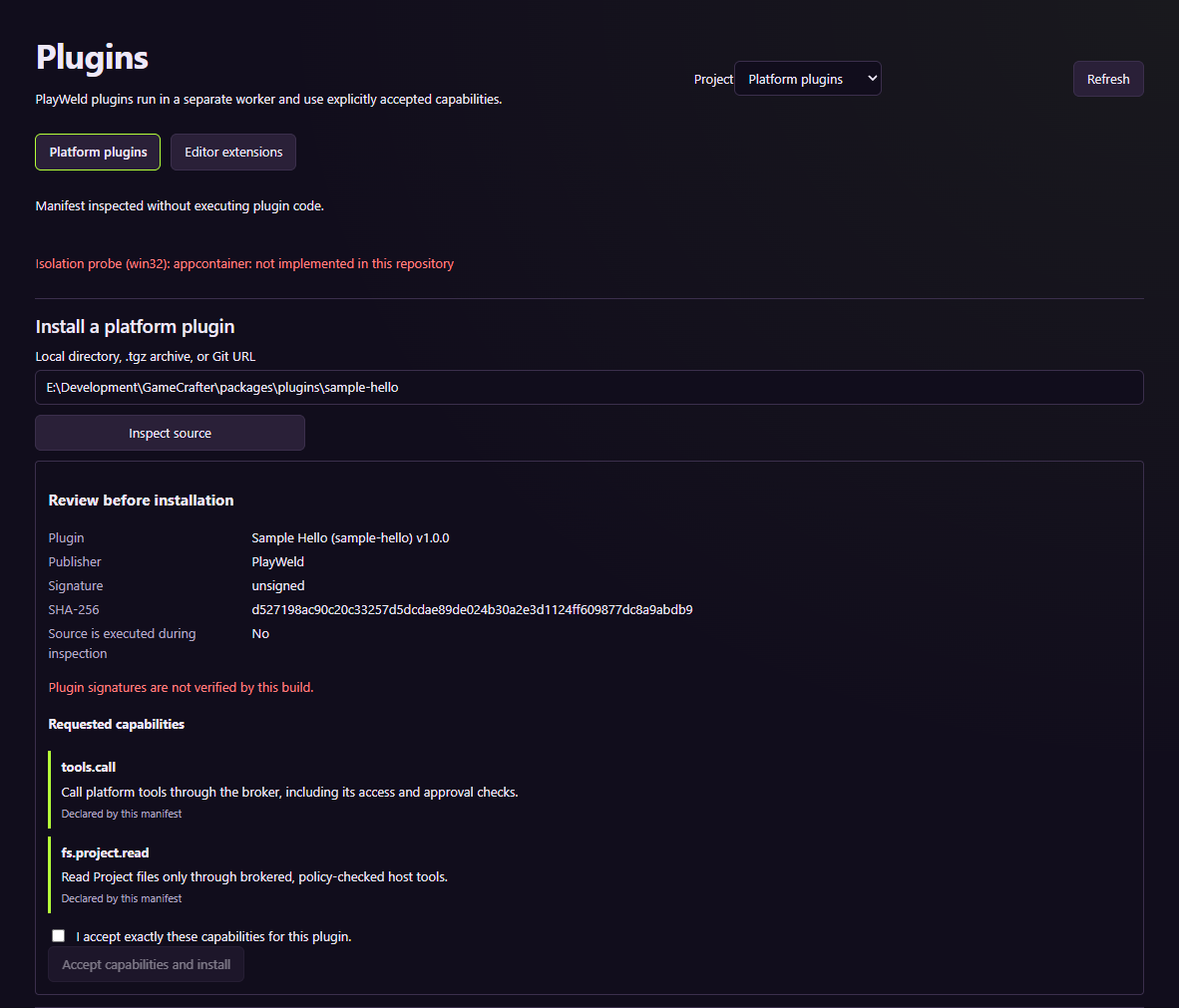
The screenshot uses the repository's sample package; it is not a marketplace endorsement.
A declaration in a manifest is a request, not automatically a grant. Install only when the privileges fit the purpose of the package.
Check activation and runtime
An installed or enabled plugin is not necessarily running. Project activation can differ from platform installation. Inspect contributed tools, panels, settings, and runtime errors as separate outcomes.
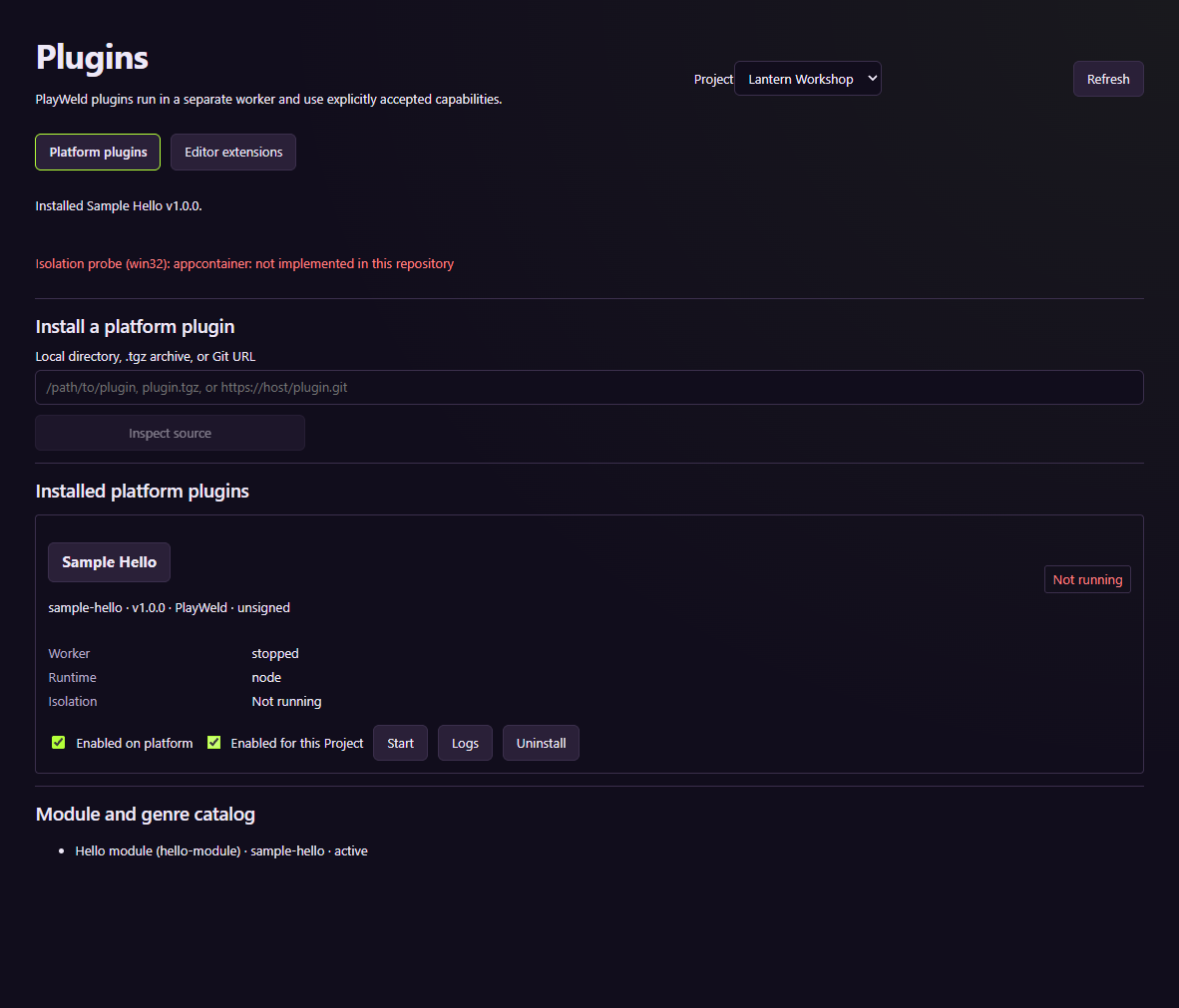
This state does not establish successful worker execution on every operating system.
The source documents Linux Bubblewrap isolation on supported hosts. Windows isolation remains a verification gap and fails closed when its prerequisite is unavailable. Do not disable the boundary to turn an unsupported runtime into an apparent success.
Author against the supported contract
Platform plugins use gamecrafter-plugin.json, a compatible platform range, a relative runtime entry, and supported contributions. The TypeScript SDK exposes worker handlers and brokered host methods. Plugins contribute capabilities without becoming independent owners of durable project or task state.
Use the source sample and integration reference for exact schemas. Build and test the worker separately from checking its archive. See publishing for this website's listing and package review process.